


Task Tracking App for Better Project and Deadline Management
Managing multiple tasks across teams is a common challenge in modern workplaces. Projects often involve different people, timelines, and dependencies, which can easily lead to missed deadlines if not...

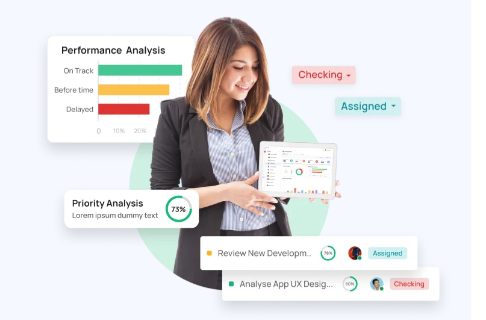
Managing multiple tasks across teams is a common challenge in modern workplaces. Projects often involve different people, timelines, and dependencies, which can easily lead to missed deadlines if not handled properly. Relying on emails, spreadsheets, or manual follow-ups may work for small teams, but it becomes difficult to maintain clarity as the workload increases.
Table Of Content
- Why Project and Deadline Management Often Fail
- Some Common Issues Include
- How a Task Tracking App Brings Structure
- Key Features That Support Better Management
- Task Assignment and Ownership
- Deadline Tracking and Reminders
- Progress Monitoring
- How It Improves Workflow Efficiency
- A Task Tracking App Helps in
- Comparison: Manual Tracking vs Digital Tracking
- Managing Multiple Projects at the Same Time
- Role in Remote and Distributed Teams
- Practical Tips for Using Task Tracking Tools
- Common Mistakes to Avoid
- Long-Term Benefits for Teams
- Some Long-Term Advantages Include
- Conclusion
A task tracking app helps bring structure to this process. It allows teams to organise tasks, assign responsibilities, and monitor progress in a single place. This makes it easier to stay on track and manage deadlines without confusion.
Why Project and Deadline Management Often Fail
Before looking at solutions, it is useful to understand where most teams face problems. Delays are rarely caused by lack of effort. They usually come from gaps in coordination and visibility.
Some Common Issues Include:
- Tasks are not clearly assigned
- Deadlines are not tracked in real time
- Updates are shared across multiple channels
- Teams depend on manual follow-ups
- Priorities keep changing without proper tracking
When these issues combine, projects lose direction and deadlines become difficult to manage.
How a Task Tracking App Brings Structure
A task tracking app provides a central system where all project-related activities can be managed. Instead of scattered communication, everything is organized in one place.
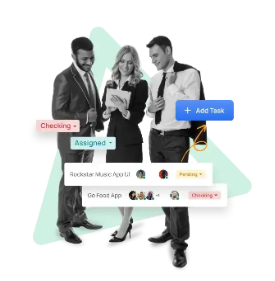
Teams can create tasks, set deadlines, assign ownership, and track progress as work moves forward. This clarity helps reduce confusion and keeps everyone aligned with project goals.
Key Features That Support Better Management
Task Assignment and Ownership
Clear ownership is essential for accountability. When each task is assigned to a specific person, it becomes easier to track responsibility and progress.
Instead of asking who is handling what, teams can quickly view assigned tasks and their status.
Deadline Tracking and Reminders
Deadlines are often missed when they are not visible or actively tracked. A structured system helps teams keep track of due dates and upcoming tasks.
Most tools provide reminders or alerts, which reduce the chances of delays and help teams stay on schedule.
Progress Monitoring
Tracking progress in real time allows teams to identify delays early. Managers can see which tasks are pending, in progress, or completed without constant follow-ups.
This visibility helps in making quick decisions when adjustments are needed.
How It Improves Workflow Efficiency
When tasks are organized properly, the overall workflow becomes smoother. Teams spend less time searching for updates and more time focusing on actual work.
A Task Tracking App Helps in:
- Reducing communication gaps
- Keeping tasks aligned with project timelines
- Avoiding duplication of work
- Improving coordination between teams
This leads to better productivity without increasing workload.
Comparison: Manual Tracking vs Digital Tracking
| Aspect | Manual Tracking | Using a App |
| Task visibility | Limited | Centralized and clear |
| Deadline management | Easy to miss | Actively tracked |
| Team coordination | Depends on follow-ups | Structured workflow |
| Error chances | Higher | Reduced |
| Scalability | Difficult | Easy to manage |
Managing Multiple Projects at the Same Time
Handling more than one project is where most systems fail. Without proper tracking, teams may lose focus or mix priorities.
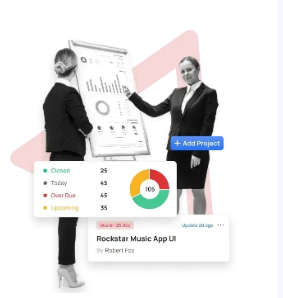
An app allows teams to manage multiple projects without confusion. Tasks can be grouped by project, deadlines can be tracked separately, and progress can be monitored for each project independently.
This separation helps maintain clarity even when workload increases.
Role in Remote and Distributed Teams
With remote work becoming common, teams are often spread across locations. This makes coordination more challenging.
A shared platform helps everyone stay connected to the same set of tasks and updates. Team members can check progress, update status, and communicate without relying on long email threads.
This ensures that distance does not affect project execution.
Practical Tips for Using Task Tracking Tools
Using a tool effectively is just as important as choosing one. The following practices help teams get better results:
- Define tasks clearly with proper descriptions
- Set realistic deadlines based on workload
- Update task status regularly
- Avoid creating duplicate or unclear tasks
- Review progress at regular intervals
These simple steps improve both adoption and effectiveness.
Common Mistakes to Avoid
While using an app, some teams face issues due to improper usage. Avoiding these mistakes can improve results:
- Overloading the system with unnecessary tasks
- Not updating task status on time
- Ignoring deadlines after assigning tasks
- Using multiple tools for the same purpose
Keeping the system simple and consistent helps maintain efficiency.
Long-Term Benefits for Teams
Over time, structured task management leads to better work habits. Teams become more organized, deadlines are managed more effectively, and projects run with fewer disruptions.
Some Long-Term Advantages Include:
- Better planning and scheduling
- Improved accountability
- Reduced project delays
- Clear communication across teams
These benefits contribute to smoother project execution across different business functions.
Conclusion
Managing projects and deadlines requires more than just planning. It requires a system that keeps tasks organized, visible, and easy to track. Without this structure, even well-planned projects can face delays.
An app provides that structure by bringing tasks, timelines, and teams into a single workflow. It helps reduce confusion, improve coordination, and ensure that deadlines are met consistently.
For teams looking to manage work in a more organized and practical way, TaskOPad Solutions Private Limited offers a solution designed to support everyday project needs.






No Comment! Be the first one.