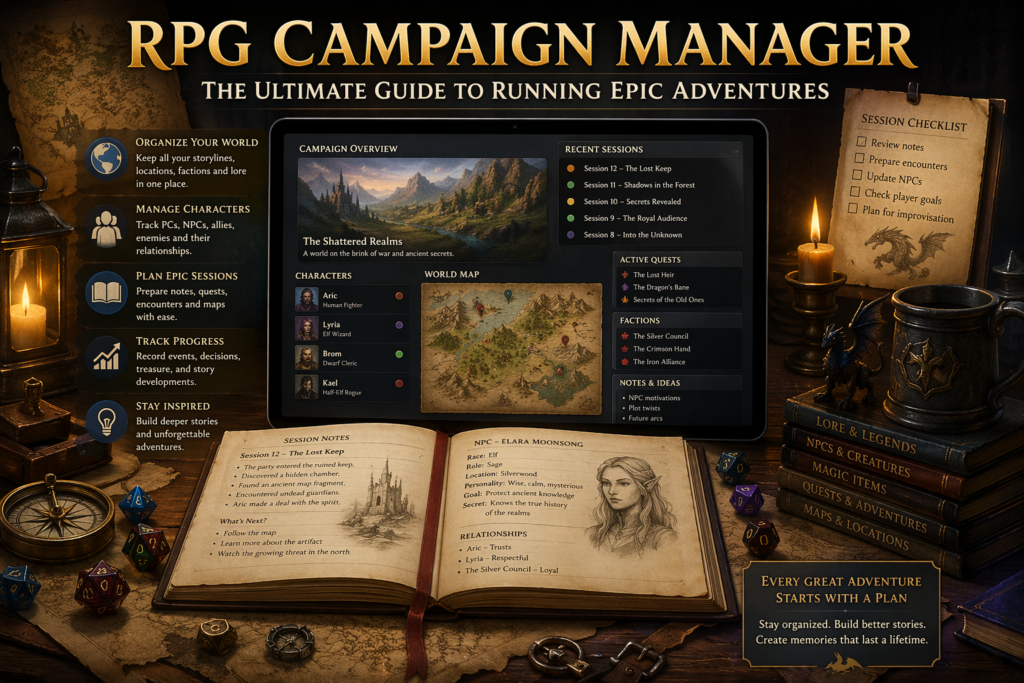
Running a tabletop RPG campaign is exciting—but let’s be honest, it can also get overwhelming. Between tracking characters, managing storylines, organizing sessions, and remembering every NPC detail, even experienced Game Masters (GMs) can struggle. That’s where an RPG Campaign Manager becomes your secret weapon.
In this guide, you’ll learn what an RPG campaign manager is, why you need one, key features to look for, and how to use it to create unforgettable adventures.
What Is an RPG Campaign Manager?
An RPG Campaign Manager is a tool, system, or software designed to help Game Masters organize and manage every aspect of their tabletop role-playing games. Whether you’re playing Dungeons & Dragons, Pathfinder, or a custom system, a campaign manager keeps everything structured and accessible.
Think of it as your digital (or physical) command center where you store:
- Story arcs
- Player character details
- NPCs (Non-Player Characters)
- Maps and locations
- Session notes
- Loot and quests
Why Every GM Needs a Campaign Manager
Running a campaign without organization is like trying to write a novel without an outline—it quickly becomes chaotic.
1. Keeps Your Story Consistent
A campaign manager ensures you don’t forget important plot points, character motivations, or past events.
2. Saves Time
Instead of flipping through notebooks or files, everything is in one place.
3. Enhances Player Experience
When your world feels consistent and alive, players stay engaged and invested.
4. Reduces Stress
No more last-minute scrambling before sessions—your prep is always ready.
Key Features of a Great RPG Campaign Manage
Not all tools are created equal. Here are the must-have features to look for:
1. Campaign Organization
A good manager allows you to structure your campaign into chapters, arcs, or sessions.
2. Character Tracking
Keep detailed records of:
- Player characters (PCs)
- NPCs
- Enemies and bosses
3. World Building Tools
Create and store information about:
- Cities and regions
- Factions and guilds
- Lore and history
4. Session Notes
Track what happened in each session, including:
- Player decisions
- Major events
- Unresolved plot threads
5. Map Integration
Upload or draw maps and link them to locations in your campaign.
6. Search & Tagging
Quickly find information using tags or keywords—this is a lifesaver during live sessions.
Types of RPG Campaign Manager
There are different ways to manage your campaign depending on your style.
1. Digital Tools
These are apps or websites designed specifically for RPG management.
Popular options include:
- Notion (customizable workspace)
- World Anvil (world-building focused)
- Obsidian (note-linking powerhouse)
2. Spreadsheet Systems
Some GMs prefer using Excel or Google Sheets for structured data tracking.
3. Physical Notebooks
Old-school but effective—great for those who enjoy writing by hand.
4. Hybrid Systems
A combination of digital tools and handwritten notes.
How to Set Up Your RPG Campaign Manager
Getting started doesn’t have to be complicated. Follow this step-by-step approach:
Step 1: Define Your Campaign Structure
Break your story into:
- Main plot
- Side quests
- Character arcs
Step 2: Create Core Sections
Organize your manager into categories:
- World
- Characters
- Quests
- Sessions
Step 3: Add Player Information
Include:
- Backstories
- Goals
- Relationships
Step 4: Build Your World
Start small:
- One town
- A few NPCs
- A central conflict
Expand as the campaign progresses.
Step 5: Track Every Session
After each session, write a quick summary:
- What happened
- What changed
- What’s next
Tips for Using an RPG Campaign Manager Effectively
Even the best tool won’t help if you don’t use it properly. Here’s how to maximize its value:
Keep It Simple
Don’t overcomplicate your system. Start basic and expand later.
Update Regularly
Consistency is key—update notes after every session.
Use Templates
Create reusable templates for:
- NPCs
- Locations
- Quests
Link Everything
Connect characters, locations, and events for easy navigation.
Prepare, Don’t Overprepare
Focus on what players are likely to encounter next.
Common Mistakes to Avoid
1. Overloading Information
Too much detail can slow you down. Keep notes concise.
2. Ignoring Player Choices
Your campaign manager should evolve based on player decisions.
3. Lack of Organization
If your system is messy, it defeats the purpose.
4. Not Backing Up Data
Always keep a backup if you’re using digital tools.
Best Practices for Long Campaigns
Running a long-term campaign? Here’s how to stay organized:
Use Timeline Tracking
Maintain a chronological record of events.
Track NPC Relationships
Players often revisit characters—keep their details updated.
Maintain a Quest Log
Separate:
- Active quests
- Completed quests
- Failed quests
Archive Old Content
Move completed arcs to an archive section to reduce clutter.
How an RPG Campaign Manager Improves Storytelling
A well-organized campaign manager doesn’t just store information—it enhances your storytelling.
Better Foreshadowing
You can plant clues early and pay them off later.
Deeper Worldbuilding
Your world feels more immersive and interconnected.
Stronger Character Development
Track how characters evolve over time.
Dynamic Gameplay
Respond quickly to player actions with well-prepared content.
Choosing the Right Campaign Manager for You
The best tool depends on your style:
- Creative storytellers → Notion or World Anvil
- Detail-oriented planners → Obsidian or spreadsheets
- Minimalists → Simple notebooks
- Tech-savvy GMs → Advanced digital tools with integrations
Final Thought
An RPG Campaign Manager is more than just an organizational tool—it’s the backbone of your storytelling. It helps you stay prepared, consistent, and creative, allowing you to focus on what truly matters: delivering an unforgettable experience for your players.
Whether you’re a beginner GM or a seasoned storyteller, investing time in building a solid campaign management system will transform your game. Start simple, stay consistent, and watch your world come to life.



Leave a Comment