


How to Design Clean and Professional Embroidery Patterns Digitally
Embroidery design has become much easier with digital tools. You no longer need to draw by hand for hours. Now, you can create neat and sharp designs on your computer. This saves time and gives...

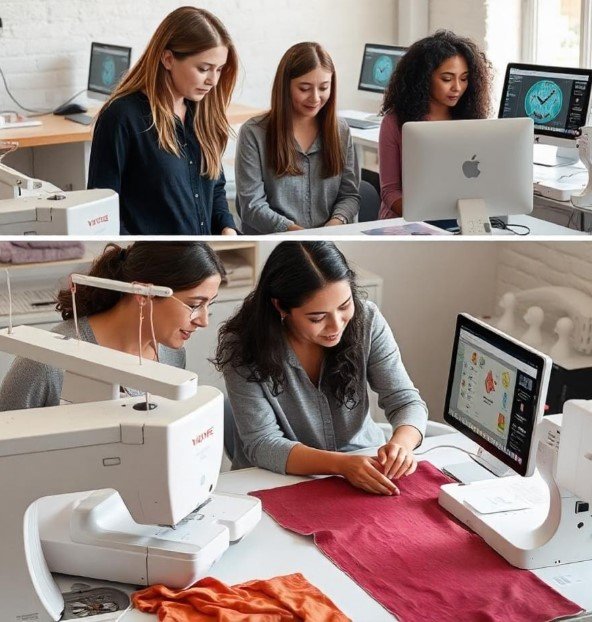
Embroidery design has become much easier with digital tools. You no longer need to draw by hand for hours. Now, you can create neat and sharp designs on your computer. This saves time and gives better results.Many people feel lost when they start. They do not know which tools to use or how to begin. That is where Software Machine Embroidery comes in. It helps you turn ideas into clean stitch designs in a simple way.
Table Of Content
- What Is Digital Embroidery Design?
- What Makes It Special
- Why Clean Design Matters
- Benefits of Clean Designs
- Tools You Need to Get Started
- Essential Items
- Step-by-Step Design Process
- Step 1: Pick a Simple Design
- Tips
- Step 2: Choose the Right Image
- Best Choices
- Step 3: Set the Design Size
- Keep in Mind
- Step 4: Digitize the Design
- What You Do Here
- Understanding Stitch Types
- Running Stitch
- Satin Stitch
- Fill Stitch
- How to Keep Designs Clean
- Use Clear Lines
- Avoid Overlap
- Keep Spacing Right
- Choosing the Right Colors
- Simple Color Tips
- Setting Stitch Density
- Why It Is Important
- Best Practice
- Pathing: Plan the Stitch Flow
- Good Pathing Helps
- Editing Your Design
- What to Check
- Testing Your Design
- How to Test
- Common Mistakes to Avoid
- Too Much Detail
- Wrong File Format
- Ignoring Fabric Type
- Skipping Tests
- Real Experience Tips
- Start Small
- Use Good Thread
- Stabilize Fabric
- How Fabric Affects Design
- Soft Fabric
- Thick Fabric
- Improving Your Design Skills
- Practice Often
- Learn from Others
- Try New Styles
- How to Make Designs Look Professional
- Keep It Balanced
- Use Clean Edges
- Check Every Detail
- Troubleshooting Design Problems
- Thread Breaks
- Uneven Stitches
- Fabric Puckering
- Building Trust with Your Work
- Deliver Quality
- Be Honest
- Test Every File
- Future of Digital Embroidery
- Faster Software
- Better Accuracy
- Easy Learning
- Final Thoughts
What Is Digital Embroidery Design?
Digital embroidery design means creating stitch files using a computer. These files guide your embroidery machine.
What Makes It Special
- It controls stitch paths
- It sets stitch types
- It manages colors
- It helps keep designs neat
This method gives you more control than hand work.
Why Clean Design Matters
A clean design looks better. It also runs well on the machine.
Benefits of Clean Designs
- Smooth stitching
- Less thread breaks
- Better final look
- Faster production
Messy designs can cause many problems.
Tools You Need to Get Started
Before you begin, you need some basic tools.
Essential Items
- Computer or laptop
- Embroidery software
- Embroidery machine
- Threads
- Needles
- Stabilizer
These tools help you create and test your designs.
Step-by-Step Design Process
Let us walk through the process in easy steps.
Step 1: Pick a Simple Design
Start with a clear and simple idea.
Tips
- Use bold shapes
- Avoid tiny details
- Keep lines smooth
Simple designs are easier to manage.
Step 2: Choose the Right Image
Your base image should be clear.
Best Choices
- High-quality PNG
- Clean SVG files
Avoid blurry images. They lead to poor results.
Step 3: Set the Design Size
Size matters in embroidery.
Keep in Mind
- Small size needs less detail
- Large size allows more detail
Always match your hoop size.
Step 4: Digitize the Design
This step turns your image into stitches.
What You Do Here
- Assign stitch types
- Set stitch paths
- Define stitch order
Take your time with this step.
Understanding Stitch Types
Knowing stitch types helps you design better.
Running Stitch
- Light and simple
- Good for outlines
Satin Stitch
- Smooth finish
- Best for text and borders
Fill Stitch
- Covers big areas
- Adds texture
Choose the right stitch for each part.
How to Keep Designs Clean
Clean designs need planning.
Use Clear Lines
Sharp lines make stitching easy.
Avoid Overlap
Too many overlaps can cause thread breaks.
Keep Spacing Right
Leave space between elements.
Choosing the Right Colors
Color choice affects the final look.
Simple Color Tips
- Use fewer colors
- Pick shades that stand out
- Match thread with fabric
Too many colors can make the design look messy.
Setting Stitch Density
Density is how close stitches are.
Why It Is Important
- High density can damage fabric
- Low density can leave gaps
Best Practice
Test different settings before final use.
Pathing: Plan the Stitch Flow
Pathing means the order of stitching.
Good Pathing Helps
- Reduce thread cuts
- Save time
- Improve finish
Always plan a smooth path.
Editing Your Design
After digitizing, you need to edit.
What to Check
- Stitch direction
- Stitch type
- Thread colors
- Design size
Editing helps fix small errors.
Testing Your Design
Testing is very important.
How to Test
- Use scrap fabric
- Run a full stitch test
- Check for errors
Never skip this step.
Common Mistakes to Avoid
Even small mistakes can ruin a design.
Too Much Detail
Keep it simple. Small details may not show.
Wrong File Format
Use the correct format for your machine.
Ignoring Fabric Type
Each fabric needs different settings.
Skipping Tests
Testing saves time and effort.
Real Experience Tips
From real work, here are useful tips.
Start Small
Do not begin with complex designs.
Use Good Thread
Cheap thread can break easily.
Stabilize Fabric
Use the right stabilizer for support.
How Fabric Affects Design
Fabric plays a big role.
Soft Fabric
- Needs light stitches
- Can stretch
Thick Fabric
- Needs strong stitches
- Holds shape well
Adjust your design based on fabric type.
Improving Your Design Skills
Skill grows with practice.
Practice Often
Daily practice helps a lot.
Learn from Others
Watch guides and tutorials.
Try New Styles
This builds confidence.
How to Make Designs Look Professional
Professional designs follow simple rules.
Keep It Balanced
Do not crowd one area.
Use Clean Edges
Sharp edges look better.
Check Every Detail
Small fixes make a big difference.
Troubleshooting Design Problems
Problems can happen. Do not worry.
Thread Breaks
- Check tension
- Use strong thread
Uneven Stitches
- Adjust density
- Check stitch type
Fabric Puckering
- Use stabilizer
- Reduce stitch count
Building Trust with Your Work
If you share or sell designs, trust matters.
Deliver Quality
Clean designs build a good name.
Be Honest
Tell what your design can do.
Test Every File
Never share untested work.
Future of Digital Embroidery
Digital tools are getting better.
Faster Software
New tools work quickly.
Better Accuracy
Designs are more precise.
Easy Learning
More guides are now available.
Final Thoughts
Designing embroidery patterns digitally is a skill you can learn. It may feel hard at first, but it gets easier with time. Start with simple designs. Use the right tools. Test your work often.
Clean and professional designs come from good habits. Pay attention to small details. Keep learning and practicing. Over time, your designs will improve.
Embroidery is both creative and fun. With digital tools, you can turn your ideas into real designs. Stay patient, keep trying, and enjoy the process.







No Comment! Be the first one.